Install FMEL-1Instalar FMEL-1
GitHubFMEL-1 is firmware for the M-VAVE FM-1. It plays samples of a Mellotron M400S's tapes (flute, choir, cello, vibes) and a piano, with tape effects (wow, flutter, saturation, hiss), echo, reverb, an arpeggiator and a 16-step sequencer. This page installs it on the FM-1 over USB.
FMEL-1 es un firmware para el M-VAVE FM-1. Toca muestras de las cintas de un Mellotron M400S (flauta, coro, chelo, vibráfono) y un piano, con efectos de cinta (wow, flutter, saturación, soplido), eco, reverb, arpegiador y secuenciador de 16 pasos. Esta página lo instala en el FM-1 por USB.
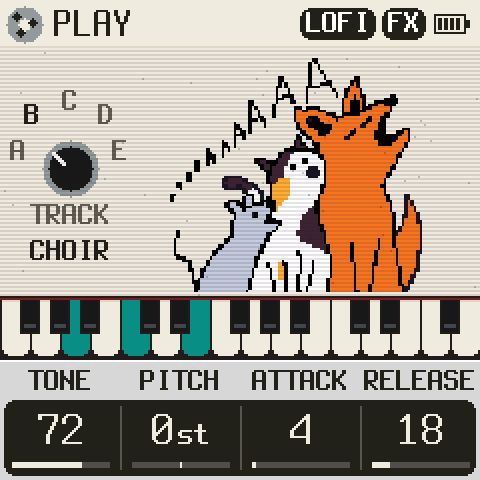
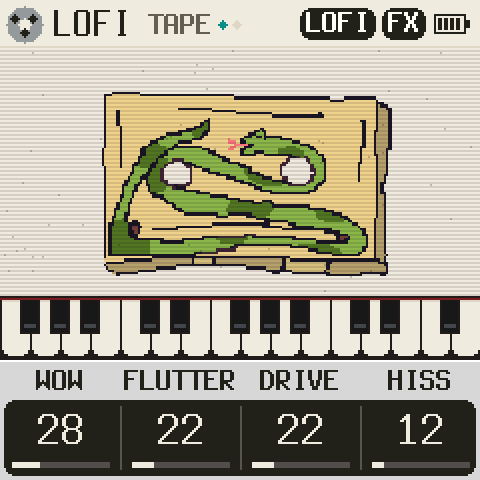
Open the simulator (runs in the browser)Abrir el simulador (funciona en el navegador)
1Your browserTu navegador
The install talks to the FM-1 over Web MIDI, which only Chromium browsers on a computer have.
La instalación habla con el FM-1 por Web MIDI, que solo tienen los navegadores Chromium de ordenador.
When you look for the FM-1, the browser asks to let this page use MIDI devices: say Allow.
Al buscar el FM-1, el navegador pide permiso para que esta página use dispositivos MIDI: pulsa Permitir.
2Get readyPrepáralo
- The FM-1's battery charged.
- La batería del FM-1 cargada.
- A USB data cable, straight into the computer (no hub).
- Un cable USB de datos, directo al ordenador (sin hub).
- Nothing else using the FM-1: close the DAW, other MIDI tabs, M-UPGRADE.
- Nada más usando el FM-1: cierra el DAW, otras pestañas MIDI, M-UPGRADE.
- The FM-1 runs the official firmware, FMEL-1, or is in the USB rescue. Another unofficial firmware (Felucca, SLOOP, Melodee, Dinghy…)? Go back to the official V15 first (step 5): one unofficial firmware straight over another has left FM-1s that no computer saw.
- El FM-1 lleva el firmware oficial, FMEL-1, o está en el rescate USB. ¿Otro firmware no oficial (Felucca, SLOOP, Melodee, Dinghy…)? Primero vuelve al V15 oficial (paso 5): instalar uno no oficial encima de otro ha dejado FM-1 que ningún ordenador veía.
3InstallInstalar
4What you will seeQué verás
- The FM-1 checks the package, then restarts into update mode (the page says so).
- The page writes FMEL-1, with the bar above. Leave the cable alone.
- The FM-1 restarts into FMEL-1, and the page says Done: now you can unplug it.
- El FM-1 comprueba el paquete y se reinicia en modo actualización (la página lo dice).
- La página escribe FMEL-1, con la barra de arriba. No toques el cable.
- El FM-1 se reinicia en FMEL-1 y la página dice Hecho: ya puedes desconectarlo.
5Back to the official firmware (V15)Volver al firmware oficial (V15)
Get FM-1.fwsc (PC Firmware, V15) from m-vave.com
(or straight from M-VAVE's server)
and choose it here. Only the unmodified official file is accepted.
Descarga FM-1.fwsc (PC Firmware, V15) de m-vave.com
(o directo del servidor de M-VAVE)
y elígelo aquí. Solo se acepta el archivo oficial sin modificar.
Coming from another unofficial firmware, some of their installers offer TransitFM1 as a safer stop than V15; FMEL-1 installs over it as over V15.
Si vienes de otro firmware no oficial, algunos de sus instaladores ofrecen TransitFM1 como paso intermedio más seguro que el V15; FMEL-1 se instala encima igual que sobre el V15.
?If something goes wrongSi algo sale mal
The browser blocked MIDI
Click the lock (or the MIDI icon) left of the address, set MIDI devices to Allow, reload, and look again.
The FM-1 is not found
Use a data cable (many charge only), plug it straight in, close anything else using MIDI, unplug it, plug it in and look again.
Windows: the browser freezes when the FM-1 restarts
Open chrome://flags/#use-winrt-midi-api (Edge: edge://flags/#use-winrt-midi-api), set it to Enabled, restart the browser.
Cut off while writing
Nothing serious. Plug it in again and press «Find my FM-1»: «Finish the install» appears.
FMEL-1 does not start (red screen or restarts)
After two tries it goes to the USB rescue by itself; you can also hold OCT− while switching it on. From there, install again or go back to V15.
Black screen, and the computer sees a disk «WL82 UBOOT1.00»
MvaveFM1Unbricker with V15. If nothing shows up over USB: FM-1-transporter.
El navegador ha bloqueado el MIDI
Pulsa el candado (o el icono MIDI) a la izquierda de la dirección, pon Dispositivos MIDI en Permitir, recarga y busca otra vez.
No encuentra el FM-1
Usa un cable de datos (muchos solo cargan), conéctalo directo, cierra lo que use MIDI, desconecta, vuelve a conectar y busca otra vez.
Windows: el navegador se congela cuando el FM-1 se reinicia
Abre chrome://flags/#use-winrt-midi-api (Edge: edge://flags/#use-winrt-midi-api), ponlo en Enabled y reinicia el navegador.
Se corta mientras escribe
No pasa nada grave. Vuelve a conectar y pulsa «Buscar mi FM-1»: aparecerá «Terminar la instalación».
FMEL-1 no arranca (pantalla roja o reinicios)
Tras dos intentos entra solo en el rescate USB; también puedes mantener OCT− al encenderlo. Desde ahí, instala otra vez o vuelve al V15.
Pantalla negra y el ordenador ve un disco «WL82 UBOOT1.00»
MvaveFM1Unbricker con el V15. Si no aparece nada por USB: FM-1-transporter.
The installer is Felucca's (Leo Kuroshita, Hügelton Instruments, GPL-3.0), with FMEL-1's checks on top. Nothing is sent anywhere: the page only talks to your FM-1.
El instalador es el de Felucca (Leo Kuroshita, Hügelton Instruments, GPL-3.0), con las comprobaciones de FMEL-1 encima. No se envía nada a ningún sitio: la página solo habla con tu FM-1.