Install FMEL-1Instalar FMEL-1
GitHubMellotron sounds on the FM-1 and SMK-37
Sonidos de Mellotron en FM-1 y SMK-37
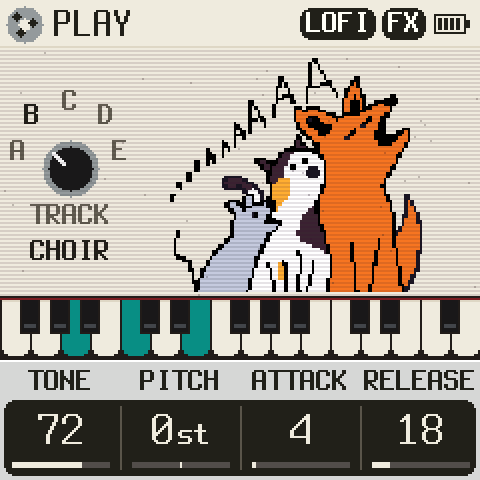
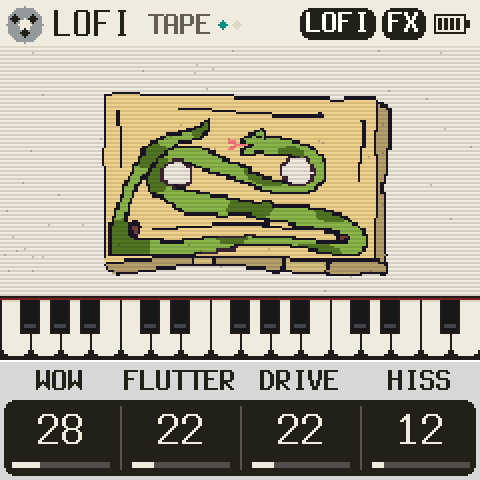
1Your keyboardTu teclado
SMK-37 modelModelo de SMK-37
2Before you startAntes de empezar
- Plugged straight in over USBConectado directamente por USB
- Close other tabs or apps that may be using MIDI (DAW, M-UPGRADE, other tabs…)Cierra otras pestañas o programas que pueden estar usando MIDI (DAW, M-UPGRADE, otras pestañas…)
- Safer over the official firmware or FMEL-1Más seguro sobre el firmware oficial o FMEL-1Safer over the stock firmware or FMEL-1Más seguro sobre el firmware stock o FMEL-1
- Don't unplug it until it says «Done»No lo desconectes hasta que diga «Hecho»
3InstallInstalar
Back to stock firmwareVolver a firmware stock
Get FM-1.fwsc (PC Firmware, V15) from m-vave.com
(or straight from M-VAVE's server)
and choose it here. Only the unmodified official file is accepted.
Descarga FM-1.fwsc (PC Firmware, V15) de m-vave.com
(o directo del servidor de M-VAVE)
y elígelo aquí. Solo se acepta el archivo oficial sin modificar.
With M-VAVE's updater, M-UPGRADE (m-vave.com), and your model's file: SMK-37 Pro V016, SMK-37 Elite V016. Your calibration and pairing stay.
Con el instalador de M-VAVE, M-UPGRADE (m-vave.com), y el archivo de tu modelo: SMK-37 Pro V016, SMK-37 Elite V016. La calibración y el emparejamiento se conservan.
HelpAyuda
Windows: the browser freezes on «update mode»
chrome://flags/#use-winrt-midi-api → Enabled
Dark or restarting after installing
Hold OCT− and OCT+ 5 s, or OCT− while switching on: the USB rescue. Install again.
Stuck in another firmware's update mode
Switch it off and on.
Every key a «C», dead wheels
Another firmware broke the key map: genkigenki's Repair. FMEL-1 never writes it.
Dead wheels after a repair
Calibrate the wheels in M-VAVE's settings.
Black screen, a disk «WL82 UBOOT1.00»
MvaveFM1Unbricker with V15. Nothing over USB: FM-1-transporter.
Not lost. Ask before touching anything: SMK-37 help.
Windows: el navegador se congela en «modo actualización»
chrome://flags/#use-winrt-midi-api → Enabled
Pantalla negra o reinicios tras instalar
Mantén OCT− y OCT+ 5 s, u OCT− al encender: el rescate USB. Instala otra vez.
Atascado en modo actualización de otro firmware
Apágalo y vuélvelo a encender.
Todas las teclas una «C», ruedas muertas
Otro firmware rompió el mapa de teclas: el Repair de genkigenki. FMEL-1 nunca lo toca.
Ruedas muertas tras una reparación
Calibra las ruedas en los ajustes de M-VAVE.
Pantalla negra y un disco «WL82 UBOOT1.00»
MvaveFM1Unbricker con el V15. Si no aparece nada por USB: FM-1-transporter.
No está perdido. Pregunta antes de tocar nada: ayuda del SMK-37.